If you work with Oracle Integration Cloud, sooner or later you will encounter a problem with API rate limits.
The integration receives a huge data collection, but the target API only accepts individual calls.
Or, even more complex, various individual steps have to be set in the target system and the interface receives many calls in a short time.
This is not a problem as long as you do not hit a request limit. Then the API responds mercilessly with an error and keeps us waiting.
In this tutorial, we will show you how to add a “chill-out” step to your integration in just a few steps using a little logic and the Wait Activity.
The scenario
- A database provides us with the latest leads via REST API as a JSON array
- We transfer these leads to our CRM, but the CRM’s REST API only allows the creation of one data record per call
- We use a ForEach loop and work through the individual leads in order
- The CRM has an API limit of 100 calls per 5 minutes. However, Oracle Integration sends several calls per second.
- We reach the limit, the CRM API responds with“429 – Too Many Requests“
- The integration throws an error and stops.
To prevent this, we build a “chill-out” step into the integration and give the integration time to wait for the request limit and then transfer the next batch of data.
The solution in 5 quick steps
Initialize the variable
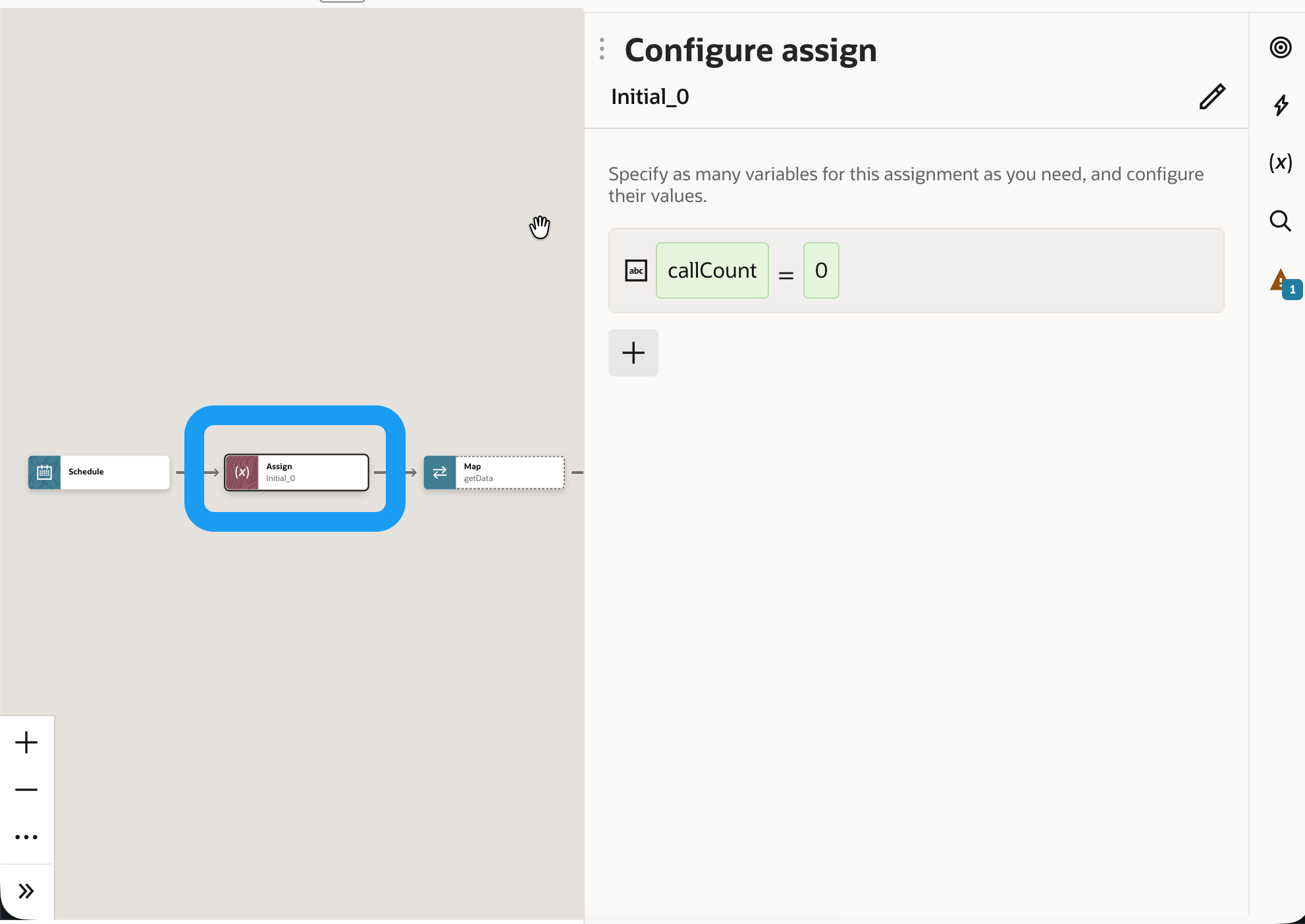
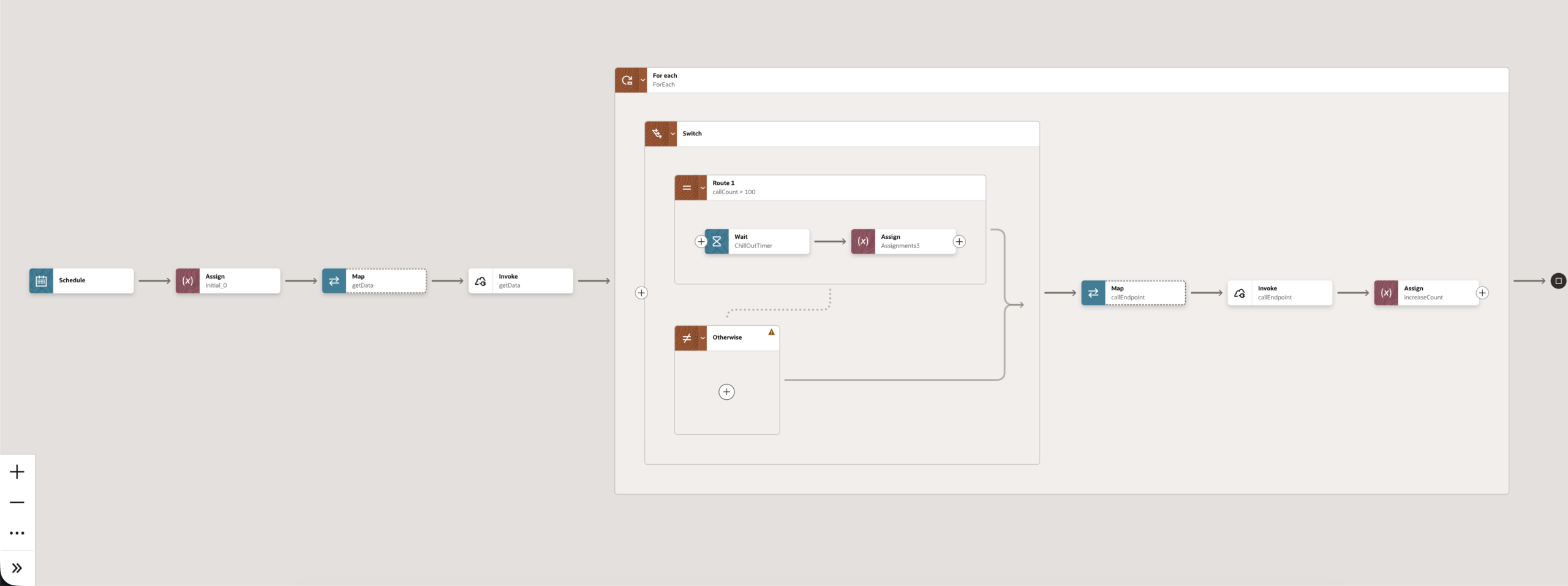
Before the For Each loop, we set a variable (e.g. callCount) with the value 0. This variable counts the calls for us.
Increase the value of the variable after each API call
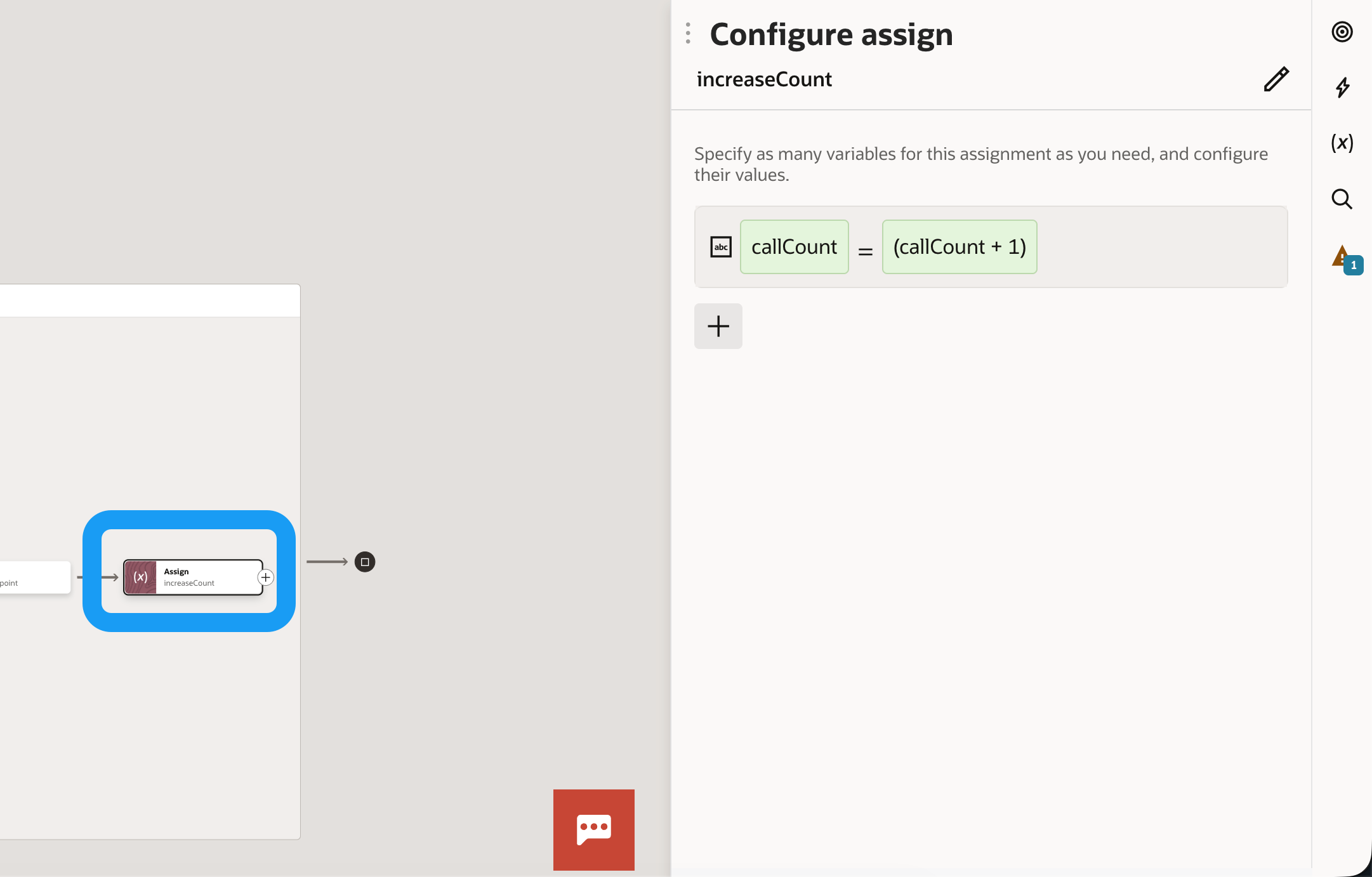
In our case, a single API call is made for each array element and we increment the counter by 1
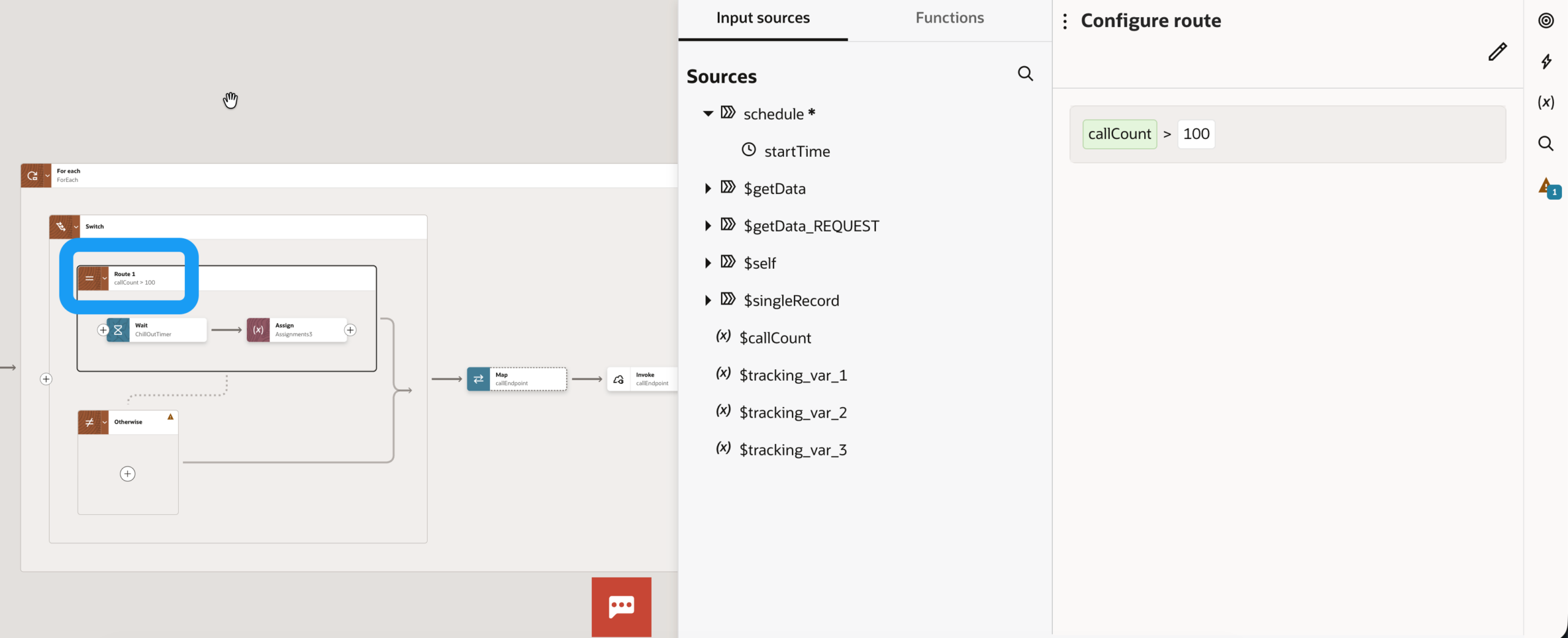
A switch within the ForEach loop
This is where we set the API limit, which we hopefully know from the API documentation or, if not, approximate by trial and error. In our case, this is 100 calls. The condition therefore specifies that we need a pause from call 101
If the switch condition is met and the API limit has been reached:
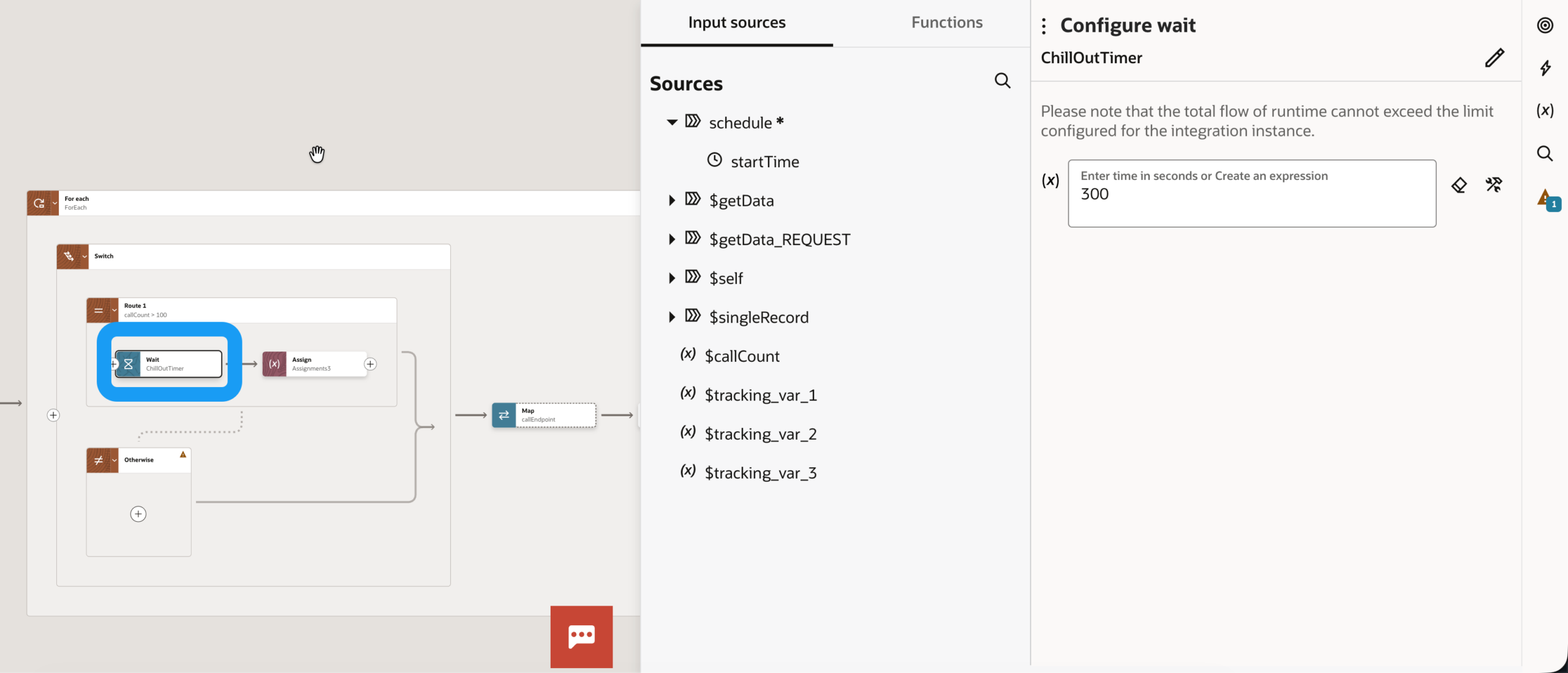
Insert a wait step
We now let the integration cool down until it is safe to call up the target interface again. In our case, this is 5 minutes (300 seconds)
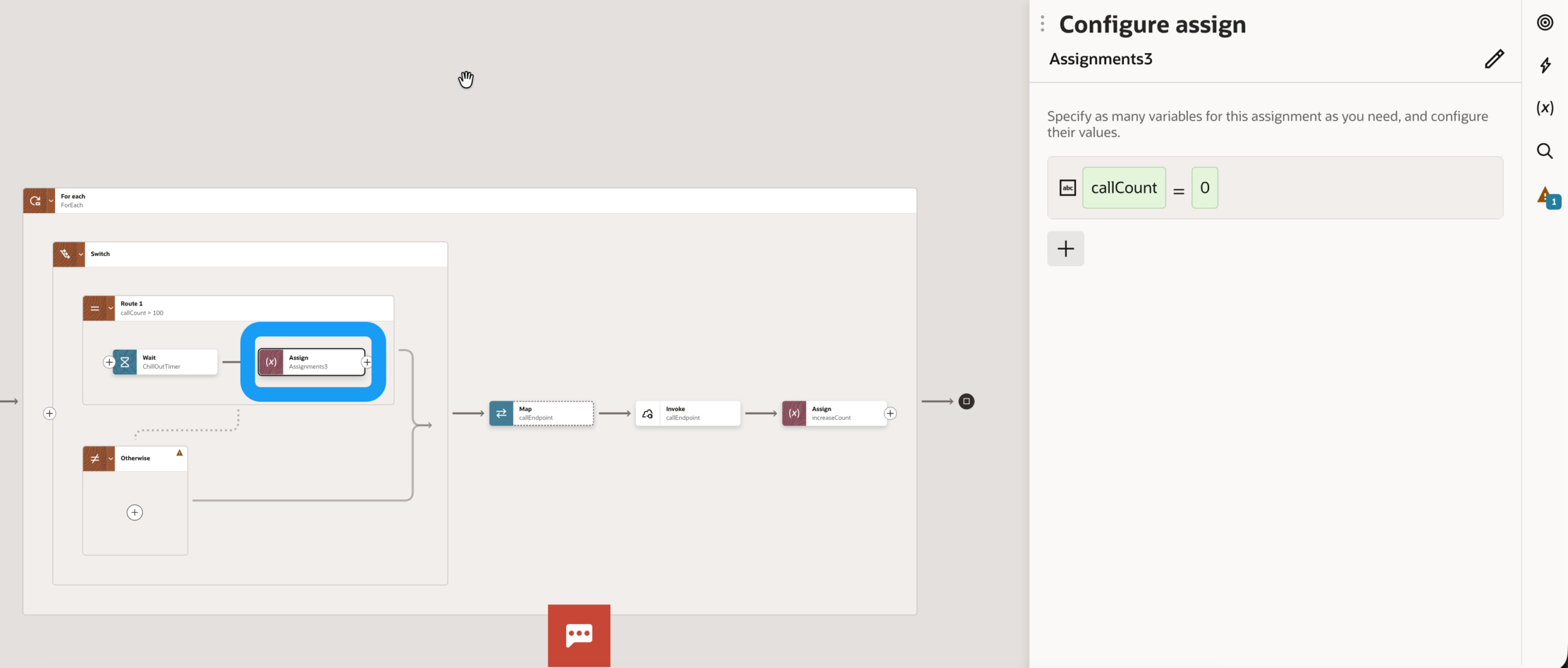
Reset the counter
Finally, we set the counter back to 0. The integration transmits data again until the limit is reached again.
The result
A resilient integration that regulates itself. We process large volumes of data stably without overloading the target systems or risking error messages in monitoring.