


In Microsoft Dynamics 365 Sales, quote IDs are often created using the AutoNumber function with a consecutive start value. In some cases, however, it is desirable for the numbering to reset at the beginning of the year instead of simply continuing indefinitely.
Here I’ll show you how we solved this challenge with Power Automate.
🔧 The challenge
By default, the AutoNumber sequence does not reset with the new year. Example:
- Offer ID sequence: A24-998, A24-999, A24-1000 …
In our case, we wanted to prevent the offer numbers from becoming five digits (e.g. A24-1000) as soon as the new year begins. Instead, they will start again in January of the new year at A25-001.
🧩 The solution: annual reset via Power Automate
We have created a recurring Power Automate flow that is executed once a year at 00:01.
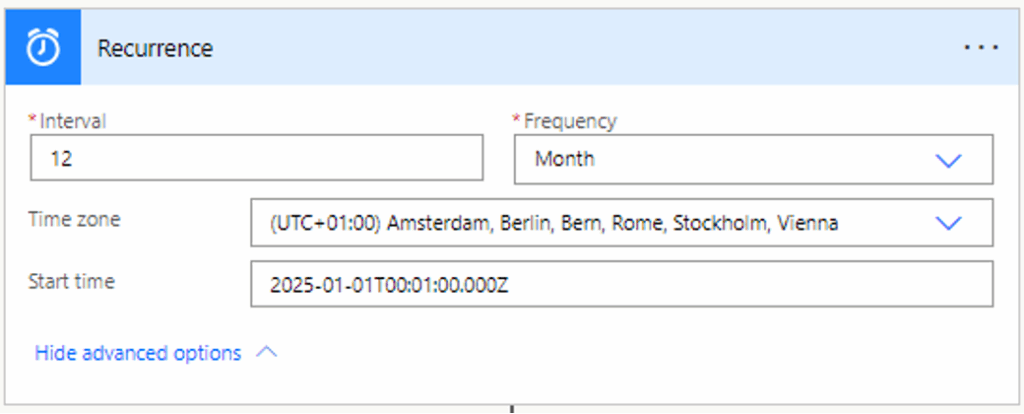
1. call up last offer
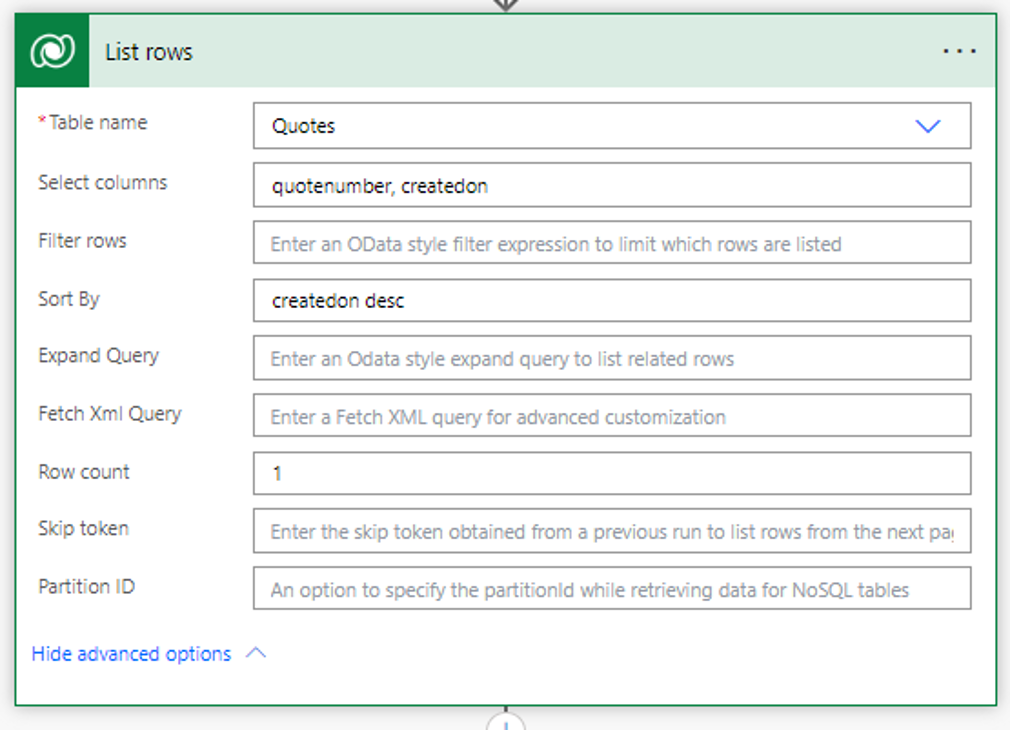
With the List Rows action:
- Order By: createdon desc
- Row Count: 1
This is how we retrieve the last quotation data record created.
2. apply to Each
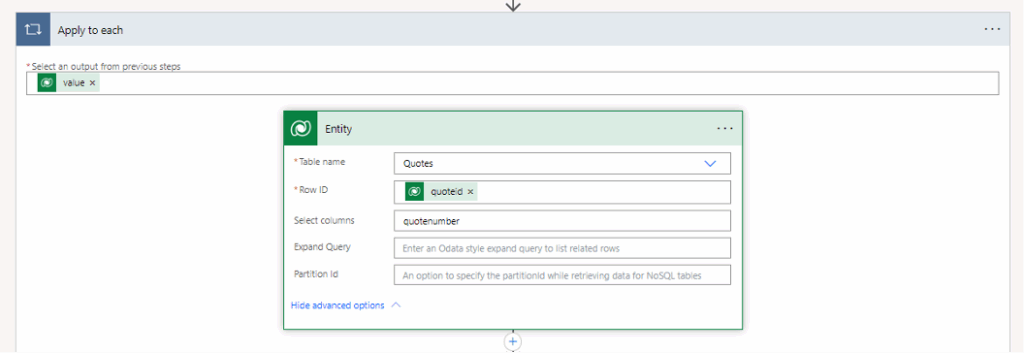
We pack the output into an “Apply to each” loop:
outputs(‘List_rows’)?[‘body/value’]
To make it easier for us to access the fields later, we then use “Get a row by ID” to retrieve the complete offer data record and rename this step “Entity”.
3. check whether the year has changed
Now comes the core logic
We compare the year in the offer ID with the current calendar:
- Extract year from offer ID
int(substring(outputs(‘Entity’)?[‘body/quotenumber’]
add(indexOf(outputs(‘Entity’)?[‘body/quotenumber’], ‘A’), 1), 2))
Result: 24
- Extract current year
int(substring(formatDateTime(utcNow(), ‘yyyy’), 2, 2))
Result: 25
If the year in the offer ID is smaller than the current year, we reset the AutoNumber start value.

4. reset start value
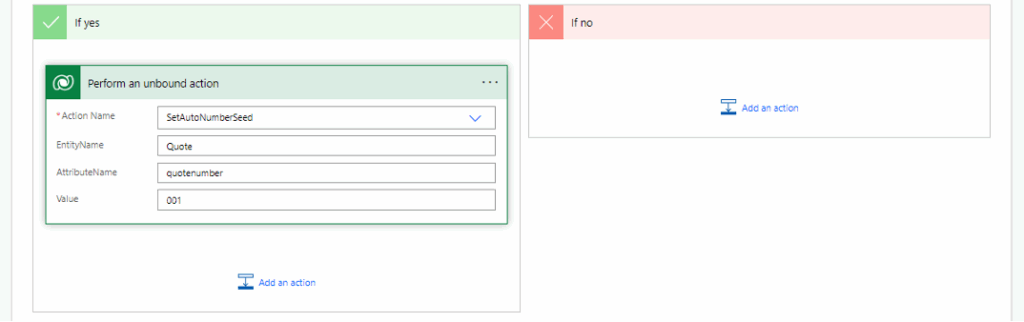
We use the “Perform an unbound action” campaign:
- Action Name: SetAutoNumberSeed
- Target Field: quotenumber
- Seed Value: 001
The next offer ID in the new year will therefore start again at A25-001.01.
✅ Result
This method keeps your D365 Sales clean and structured: The offer numbers always show the current year, without any manual intervention or the risk of IDs suddenly becoming five digits long.
I hope this guide has helped you.
Stay tuned for more useful tips and best practices to help you get the most out of Dataverse.
If you have any questions, please feel free to contact our Microsoft experts.